> For the complete documentation index, see [llms.txt](https://thehustlegame.gitbook.io/whitepaper/llms.txt). Markdown versions of documentation pages are available by appending `.md` to page URLs; this page is available as [Markdown](https://thehustlegame.gitbook.io/whitepaper/the-hustle/the-hustle-wax/battle-fight-club-wax/getting-started-in-fight-club-wax/fight-club-logging-and-registering-your-account-wax/equipping-fighting-gear-wax.md).
# Equipping fighting gear (WAX)
[👈`Go Back`](/whitepaper/the-hustle/the-hustle-wax/battle-fight-club-wax/getting-started-in-fight-club-wax.md)
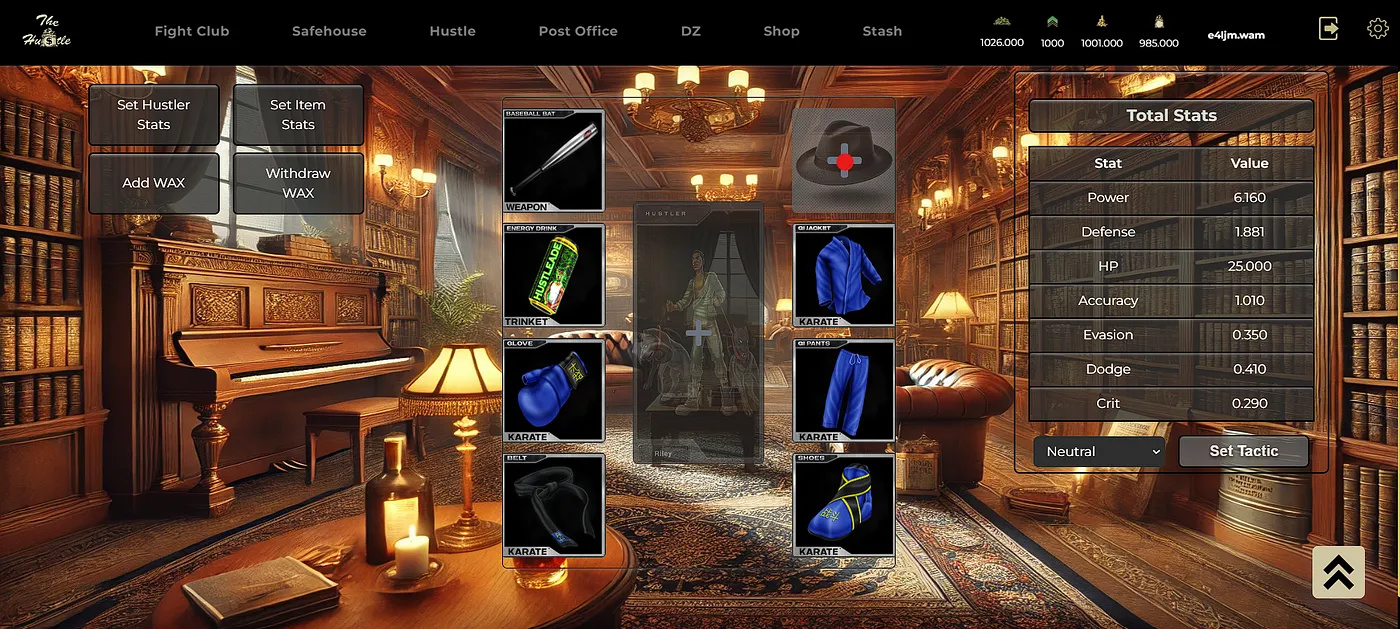
Once a character has its battle stats they can now be registered into fight club to be used in battles, and any gear with stats can also be equipped.
{% tabs %}
{% tab title="Equipping gear" %}
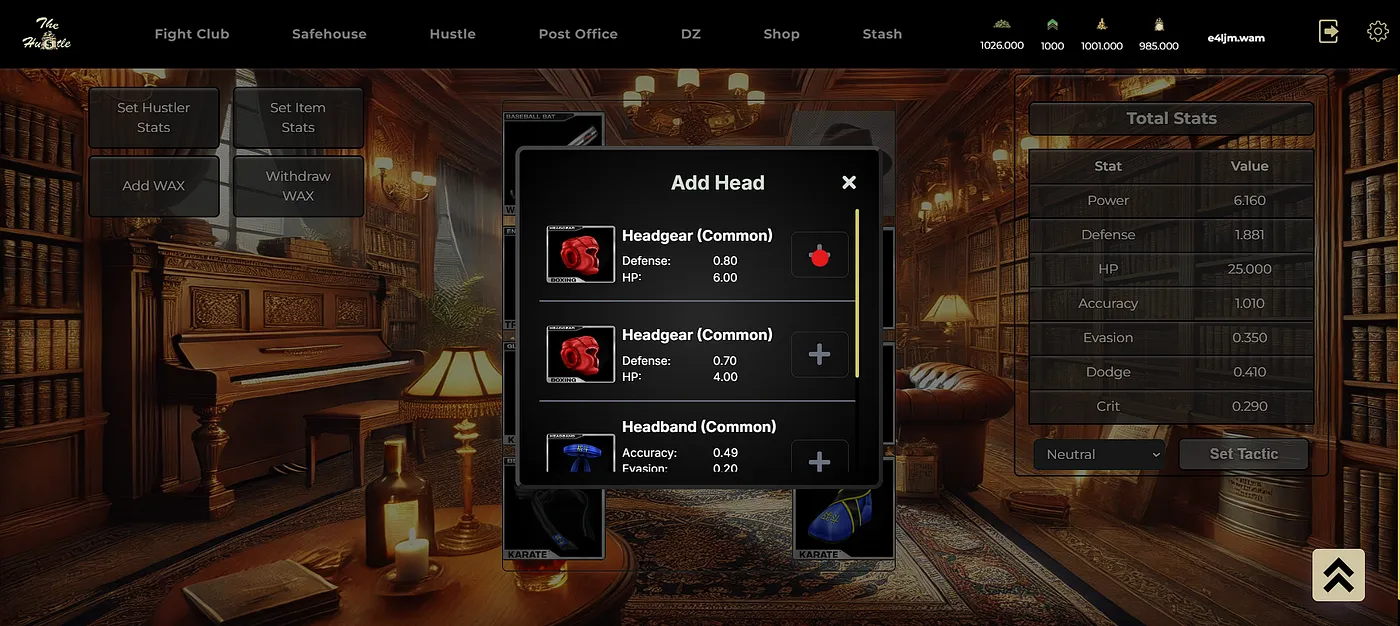
1. **Equip an item**: In the character setup menu click the plus sign located in any of the 8 available item slots your inventory menu will appear, displaying all of the items that have stats.
2. **Choose the item** : Choose the item you wish to equip and click the plus sign next to it and your fight club items should now be displayed in the character setup window. Wait for the transaction to complete. Once done, your fighters total stats table will be updated.\
{% endtab %}
{% endtabs %}